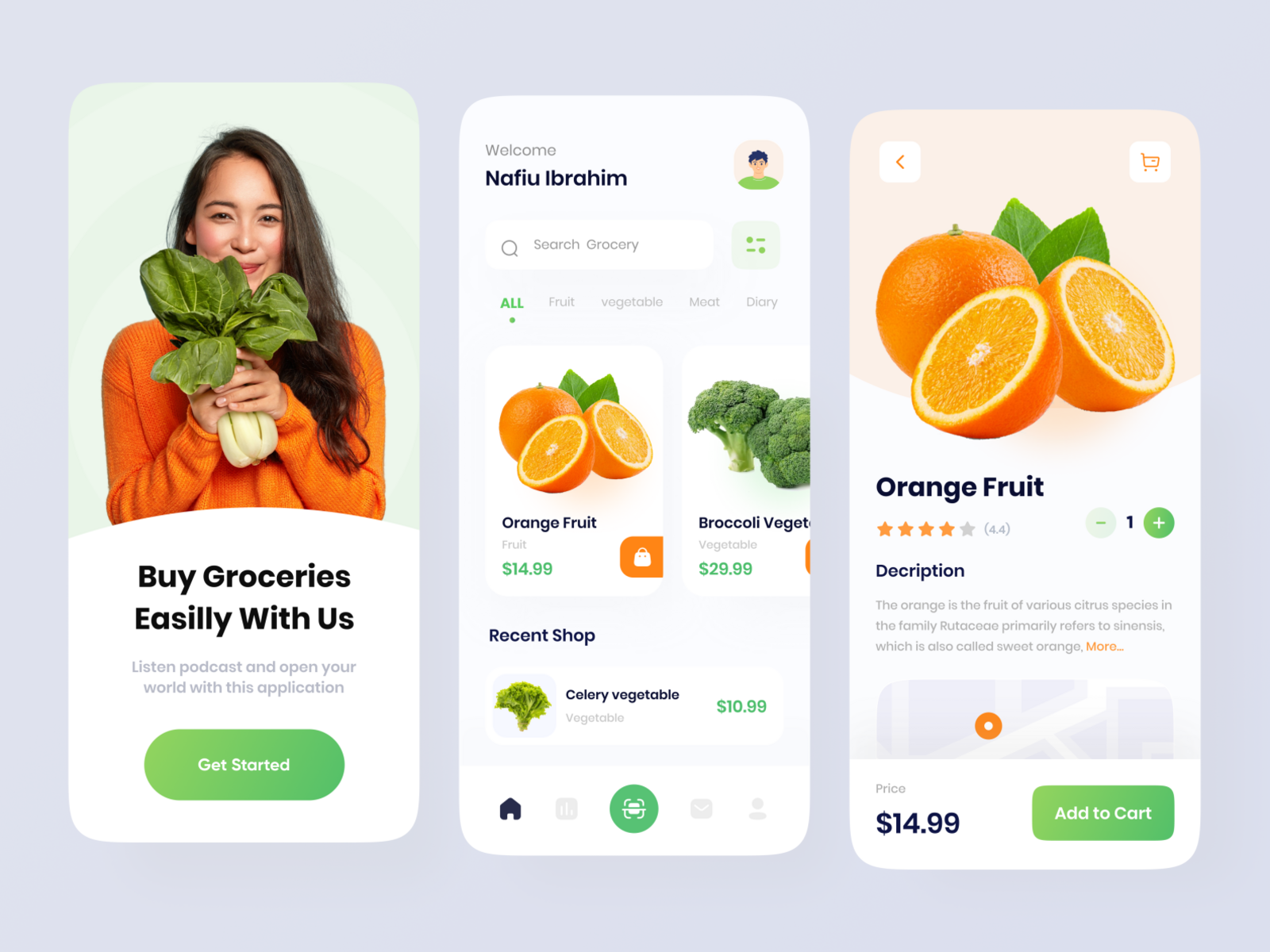
Shopper Space
A grocery delivery application that promises to deliver groceries within 15 minutes.
1. Ideation & Planning
Shopper Space started as an innovative idea to address the challenges of traditional grocery shopping.
The mobile app development process kicked off by defining a strategy to transform the idea into a successful application. This involved aligning the app's objectives with a comprehensive enterprise mobility strategy.
Planning
During the planning stage, the app idea began to take shape, and detailed functional requirements were captured. A product roadmap was prepared, prioritizing mobile app requirements and grouping them into delivery milestones. The concept of a minimum-viable-product (MVP) was introduced to prioritize features for the initial launch. Skill identification for the project and selection of a unique app name were crucial aspects of this planning phase.
2. UI / UX Design
The design of Shopper Space aimed at delivering seamless and effortless user experiences with a polished look.
Information Architecture & Workflows
The initial step involved determining the data display, data collection, user interactions, and user journeys within the app. Information architecture considered users with different roles and privileges, ensuring the app's structure accommodated these distinctions. Workflow diagrams were instrumental in identifying every possible interaction and the app's navigation structure.
Wireframes
Designers utilized wireframes as conceptual layouts, providing visual structure to the app's functional requirements. Wireframes focused on aesthetics and user experience rather than color schemes and styles, offering a cost-effective approach for designing app layouts.
Mockups
Mockups, or high-fidelity designs, represented the final renderings of the app's visual design. Wireframes evolved into high-fidelity mockups, combining with style guide design standards. Tools like Adobe Photoshop were employed for creating these detailed designs.
Prototype
Mockups transitioned into click-through prototypes using tools like InVision. Prototypes were valuable for simulating user experiences and testing app workflows at an early stage. Some companies even preferred prototyping at the wireframing stage to refine app functionality.
Prototypes provided insights into the proposed functionality, facilitating discussions with focus groups and refining the app's design.
3. App Development
Planning remained integral during this phase of the mobile app development process. Before actual development started, key considerations included:
A typical mobile app project involved three main components: back-end/server technology, API(s), and the mobile app front-end.
Back-End/Server Technology
This component encompassed databases and server-side objects supporting the mobile app's functions. Modifications were made to existing back-end platforms to align with the desired mobile functionality.
API
An Application Programming Interface (API) served as the communication link between the app and the back-end server/database. The front-end represented the native mobile app used by end-users, often requiring interactive user experiences utilizing an API and a back-end for data management. The choice of technology stack depended on the targeted mobile platform (iOS or Android).
Development milestones were defined, and an agile development approach was adopted to accommodate the rapid evolution of mobile technologies and devices.
Each development milestone underwent validation by the app testing team, marking a key step in ensuring the app's quality and functionality.
4. Testing
Comprehensive quality assurance (QA) testing played a pivotal role in stabilizing, enhancing usability, and securing the application.
Test cases were meticulously prepared to cover all aspects of app testing, involving the QA team from the Analysis and Design stages for accurate test case production.
The app underwent various testing methods to deliver a high-quality mobility solution:
User Experience Testing
Ensuring the final implementation matched the user experience envisioned by the design team was a critical step. Consistency in visuals, workflow, interactivity, fonts, style treatments, color schemes, padding, icon design, and navigation was paramount for a positive user adoption experience.
Functional Testing
The accuracy of the mobile app's functionality was rigorously tested to ensure its success. Functional testing covered both system testing (app working as a whole) and unit testing (individual functions operating correctly).
Testing involved diverse users to simulate various scenarios and conditions, often revealing defects in unexpected usage situations.
Performance Testing
Performance testing ensured the app's stability and responsiveness under various conditions, reflecting the commitment to delivering a seamless and reliable user experience.